Configuration Abandon Template
The Configuration Abandon template allows you to communicate with customers who have started the configuration of a car, a holiday, a service but have not completed it within a given time frame. These customers will receive a message asking if they need assistance with the configuration, an incentive to complete, etc.
When visitors are configuring, additional information on the configuration can be sent along, such as the current options selected.
To be able to track the behavior of the visitor and to detect when a specific action has started, stopped or completed, the following events are tracked and sent as signals to the Moments application: Start, Update and Complete. These signals are picked up by the Configuration Abandon Moment.:
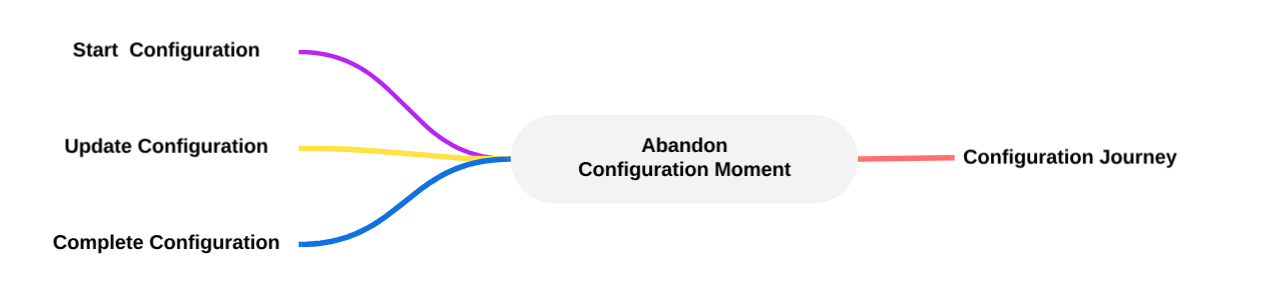
When setting up the template, following properties specific to the Configuration Abandon need to be filled out (Check out the topic on creating a Moment for more details.):

Duration — Set the time delay after which the configuration is considered as abandoned and the Moment is triggered, for example after 2 days of inactivity on the configuration.
Example:
First create the Configuration Abandon Moment and fill out the name, description and select the Audience configuration to apply to this Moment.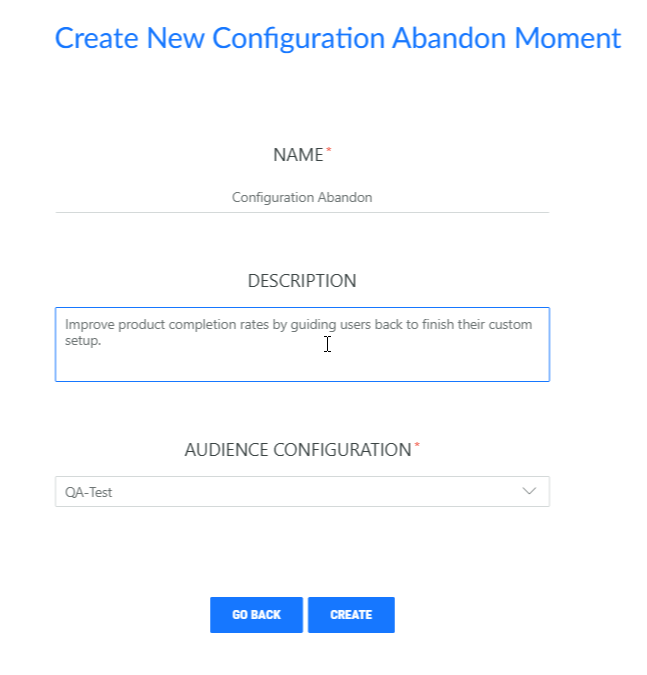
Next, in the custom properties for this moment, set the time delay after which the configuration is considered as abandoned and the Moment is triggered, for example after 1 hour of inactivity.